
Rockhopper
Rockhopper is a spreadsheet collaboration platform for finance teams, bringing version control, change tracking, and alignment to complex workflows.
My team partnered with Rockhopper to plan, design, and build the MVP to streamline how finance teams work on spreadsheets.
Solution
How might we embed collaboration directly into the workflow?
The goal was to reduce context switching and lost decisions from collaborating outside the file. By centralizing communication and decision-making, users can stay focused, understand changes faster, and work with more confidence.
Through multiple iterations, I structured the workflow with clear stages, each designed to support how teams draft, review, and finalize changes.
Clear versioning for confident collaboration
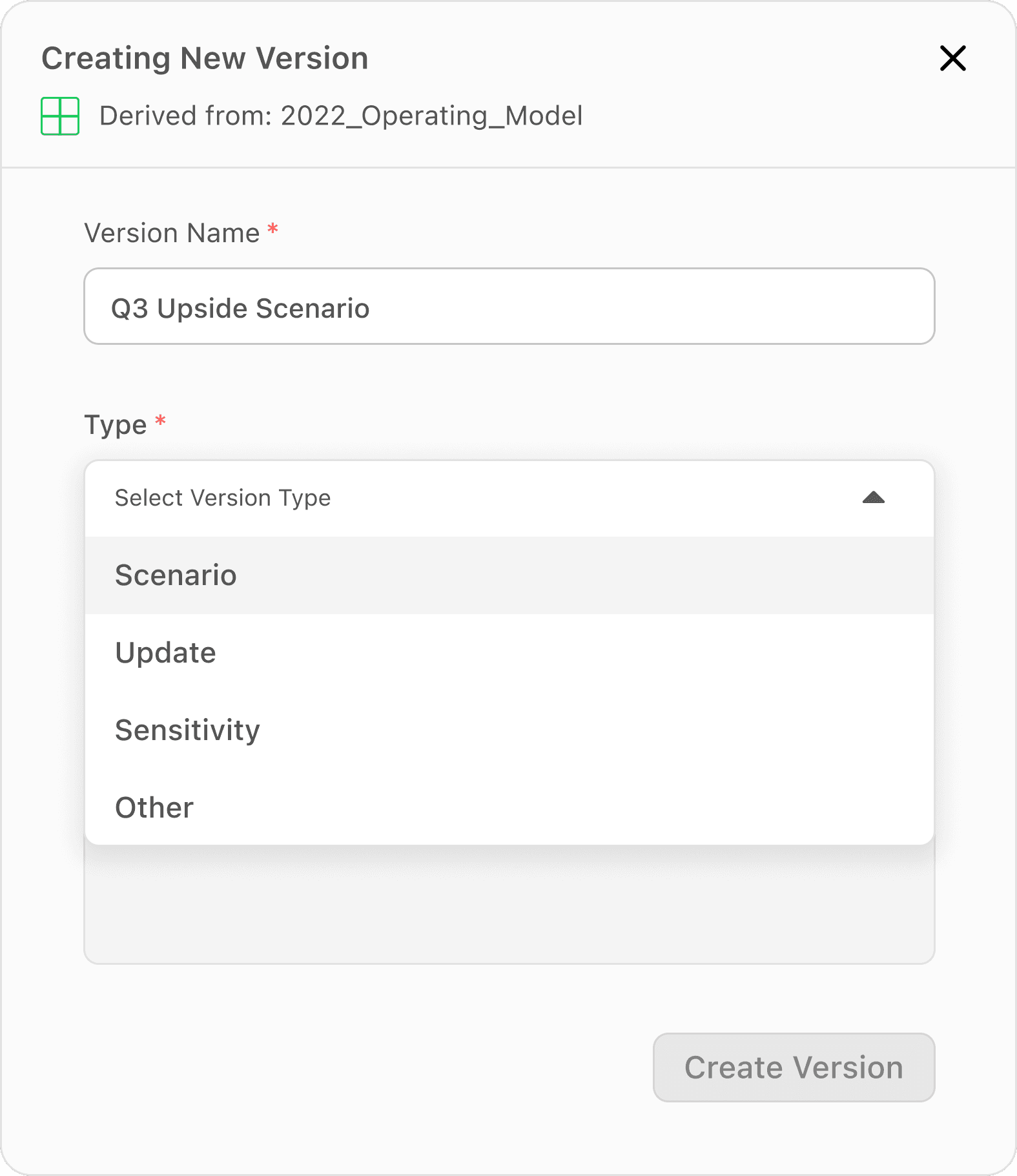
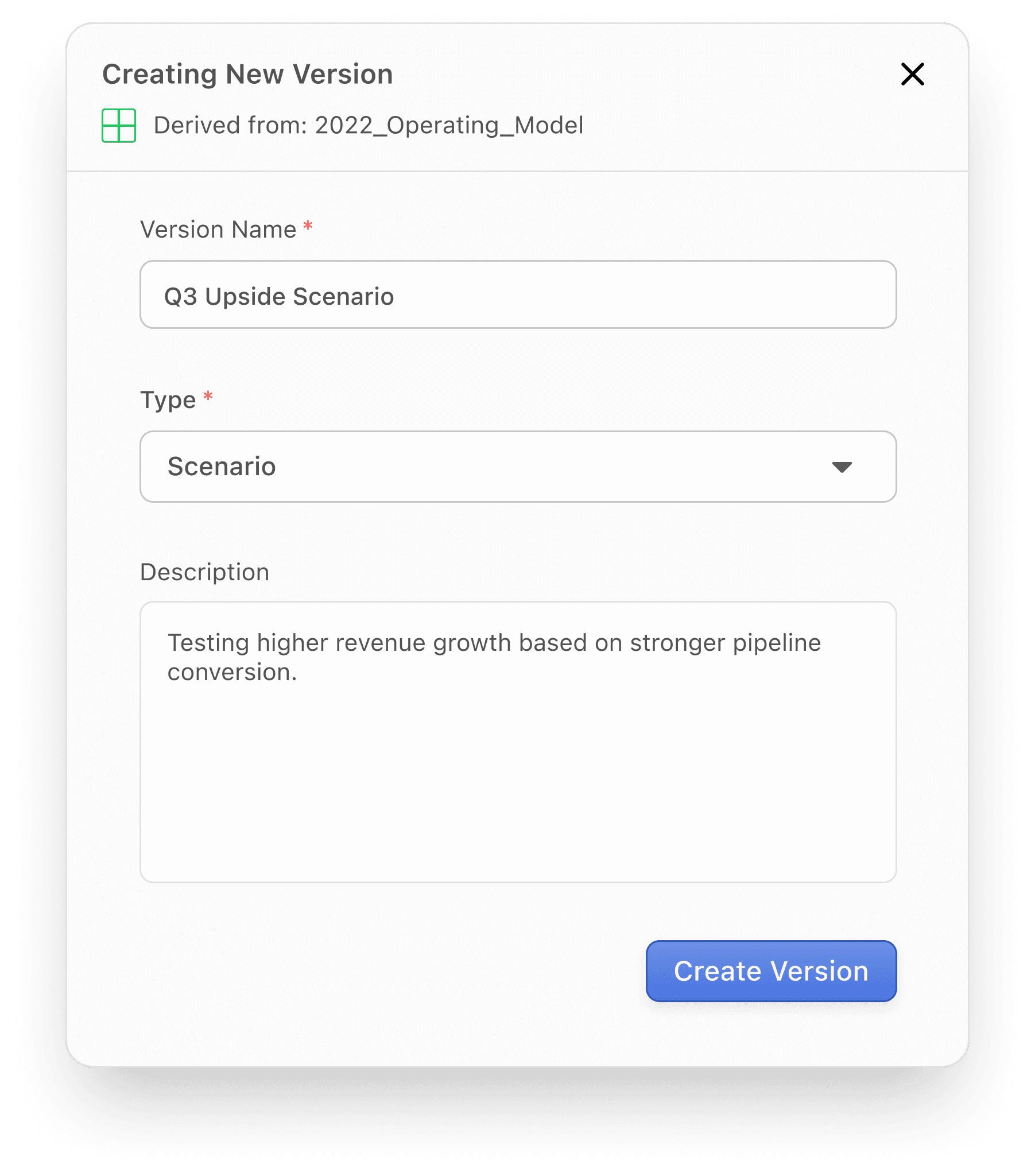
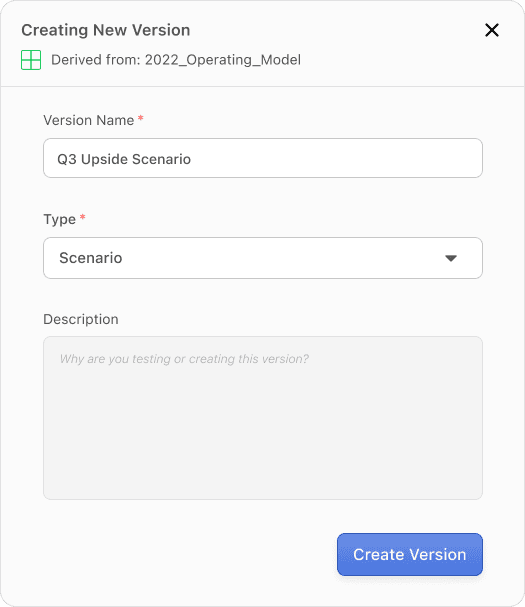
Without a clear structure for versioning, teams were left guessing what changed and why, often mixing in-progress work with finalized outputs. This made it difficult to track intent, slowed collaboration, and increased the risk of mistakes.
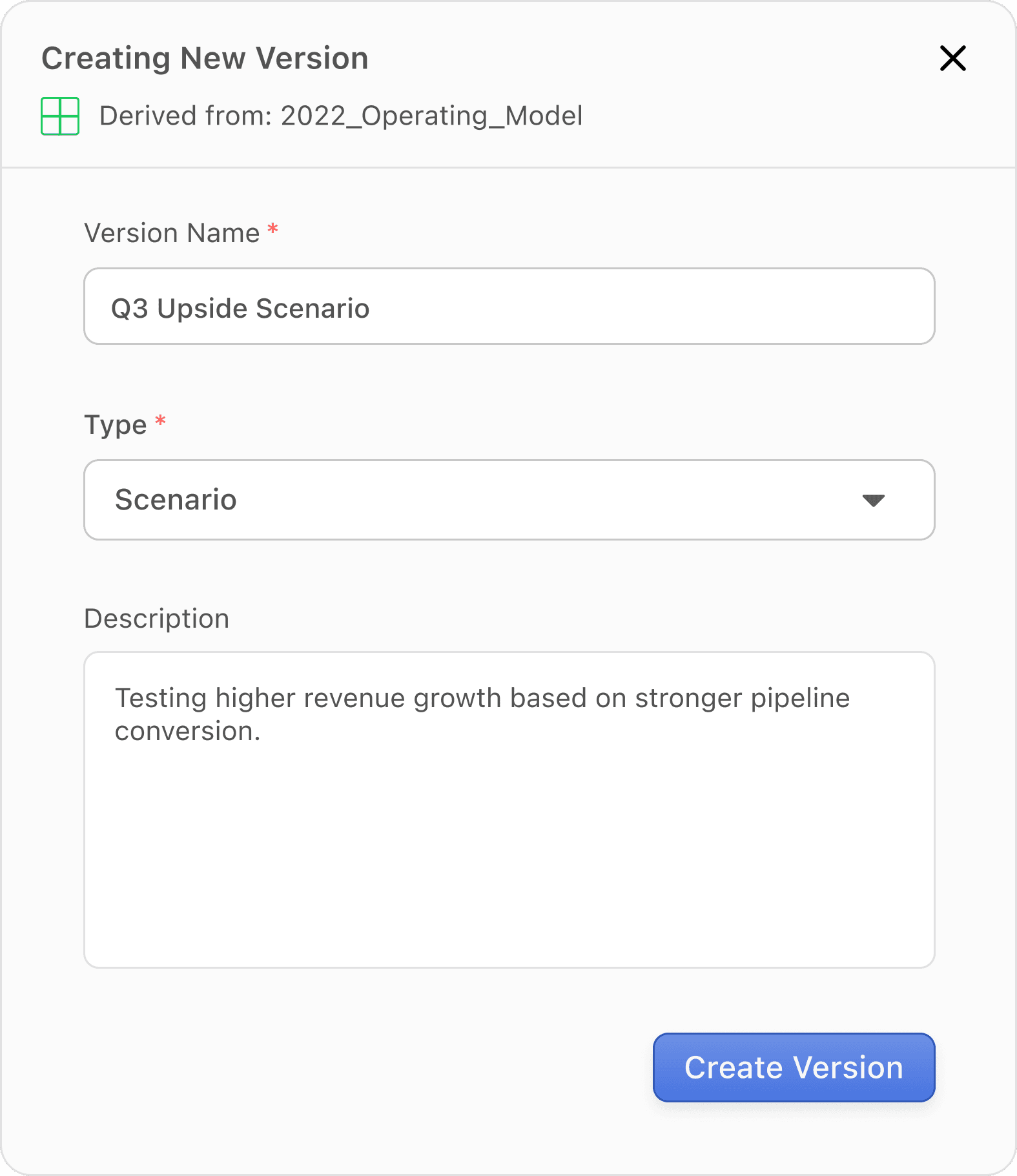
To address this, it was important to guide the users to define the purpose of each version upfront, so every change carries clear context and stays organized.

A safe path to finalizing changes
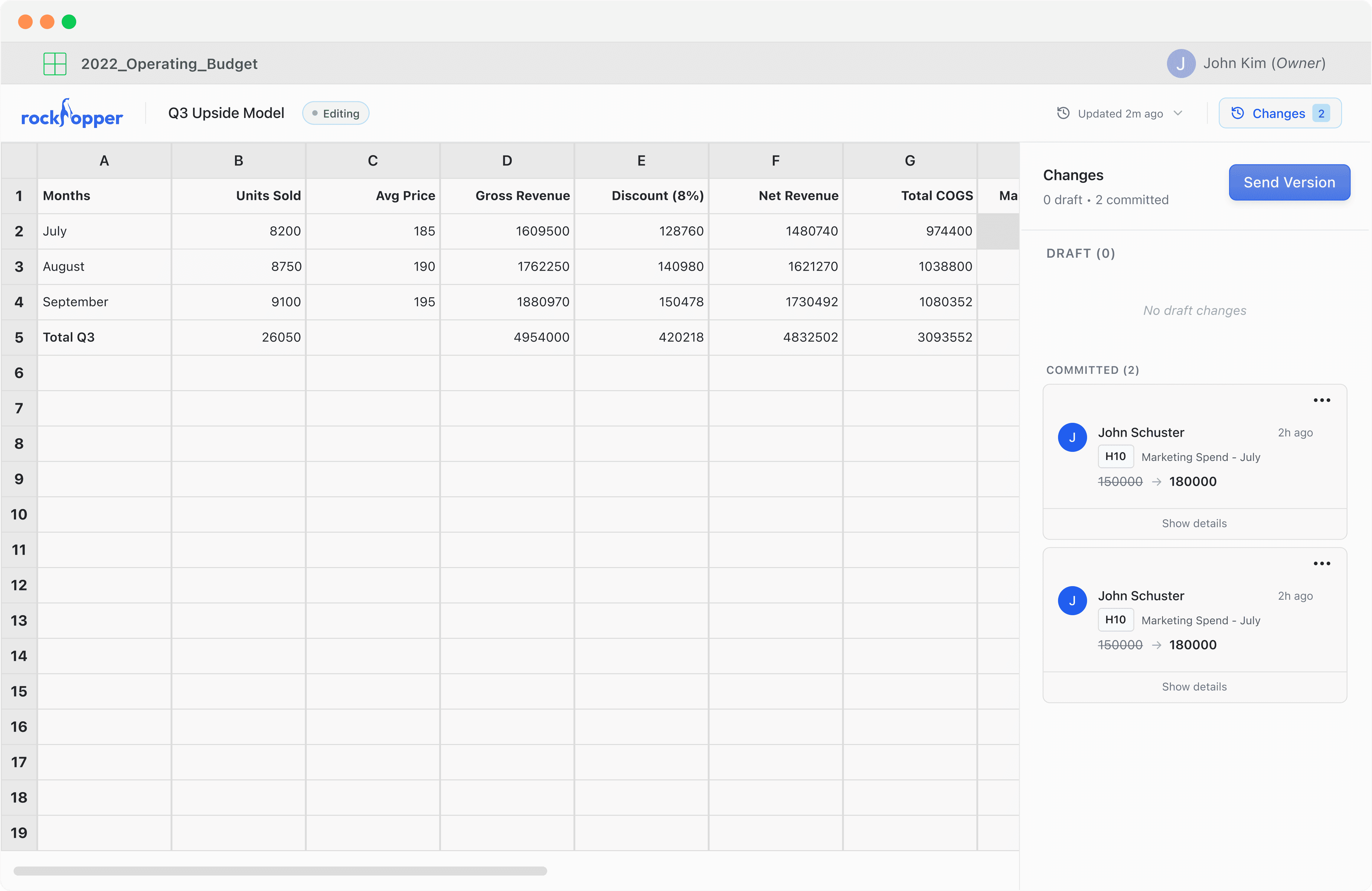
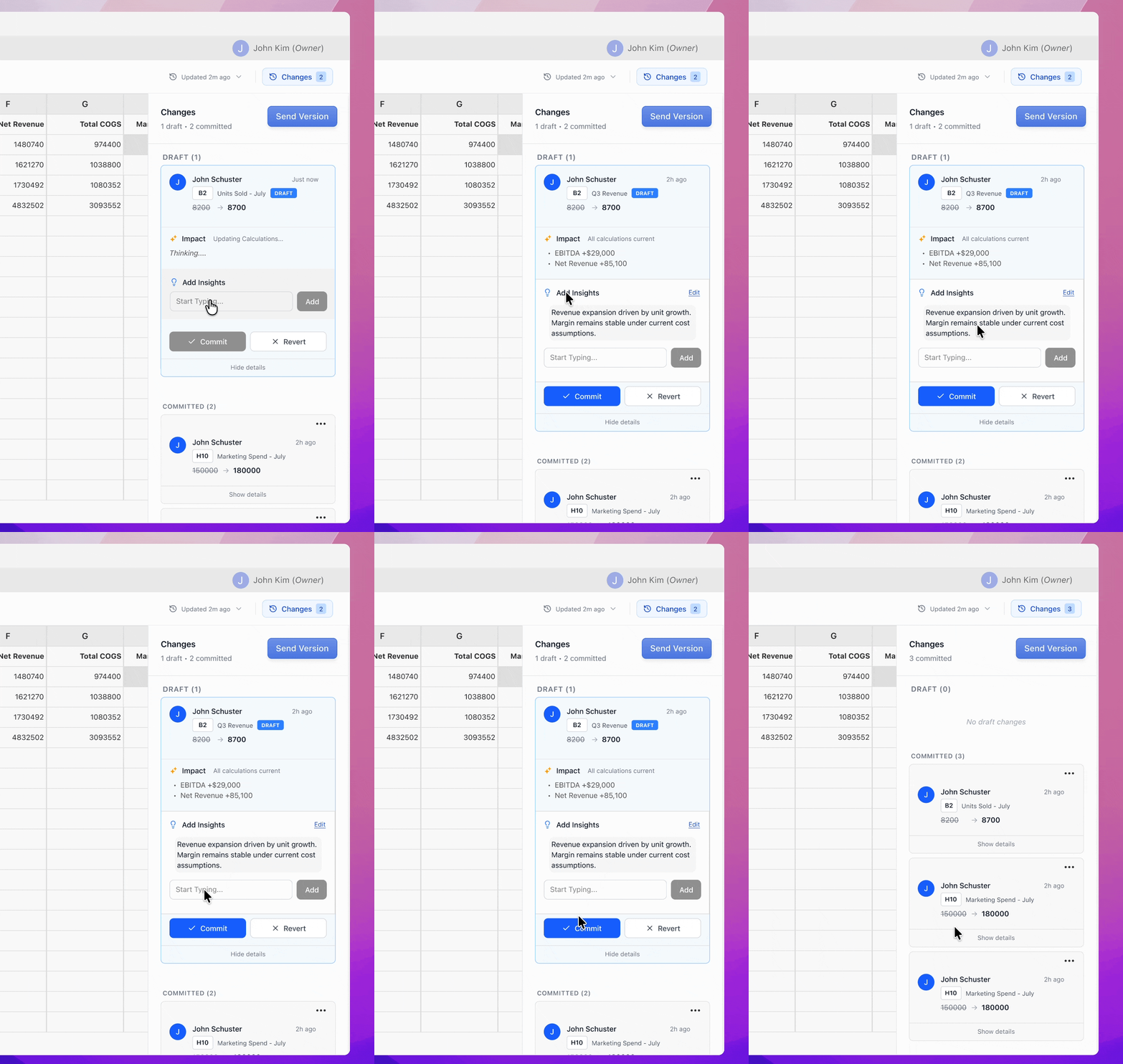
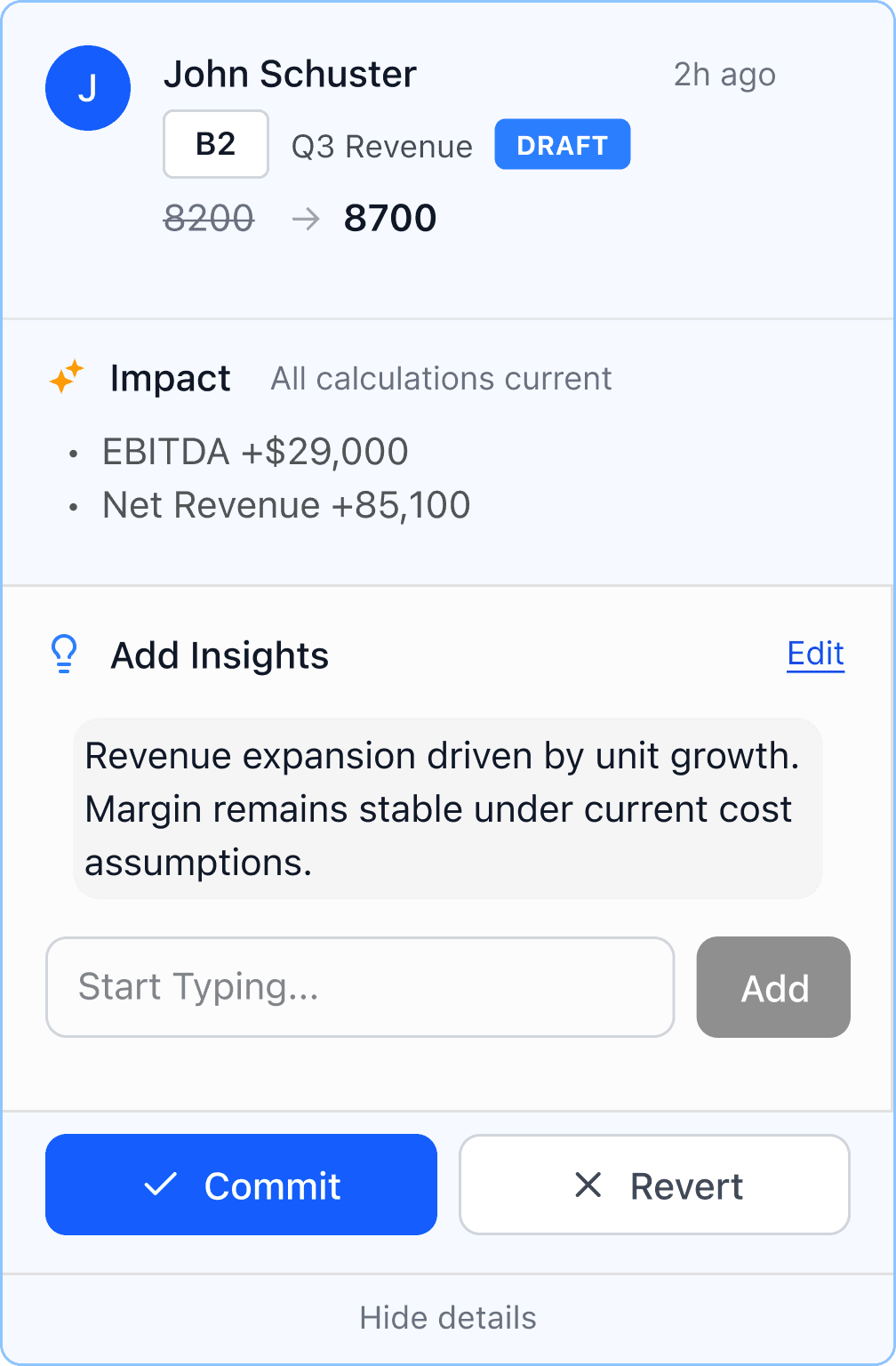
My goal was for users to make changes while keeping track of their decisions. By drafting, users can iterate freely without impacting the source of truth, separating exploration from final decisions. Committing then turns those changes into a clear, structured update.
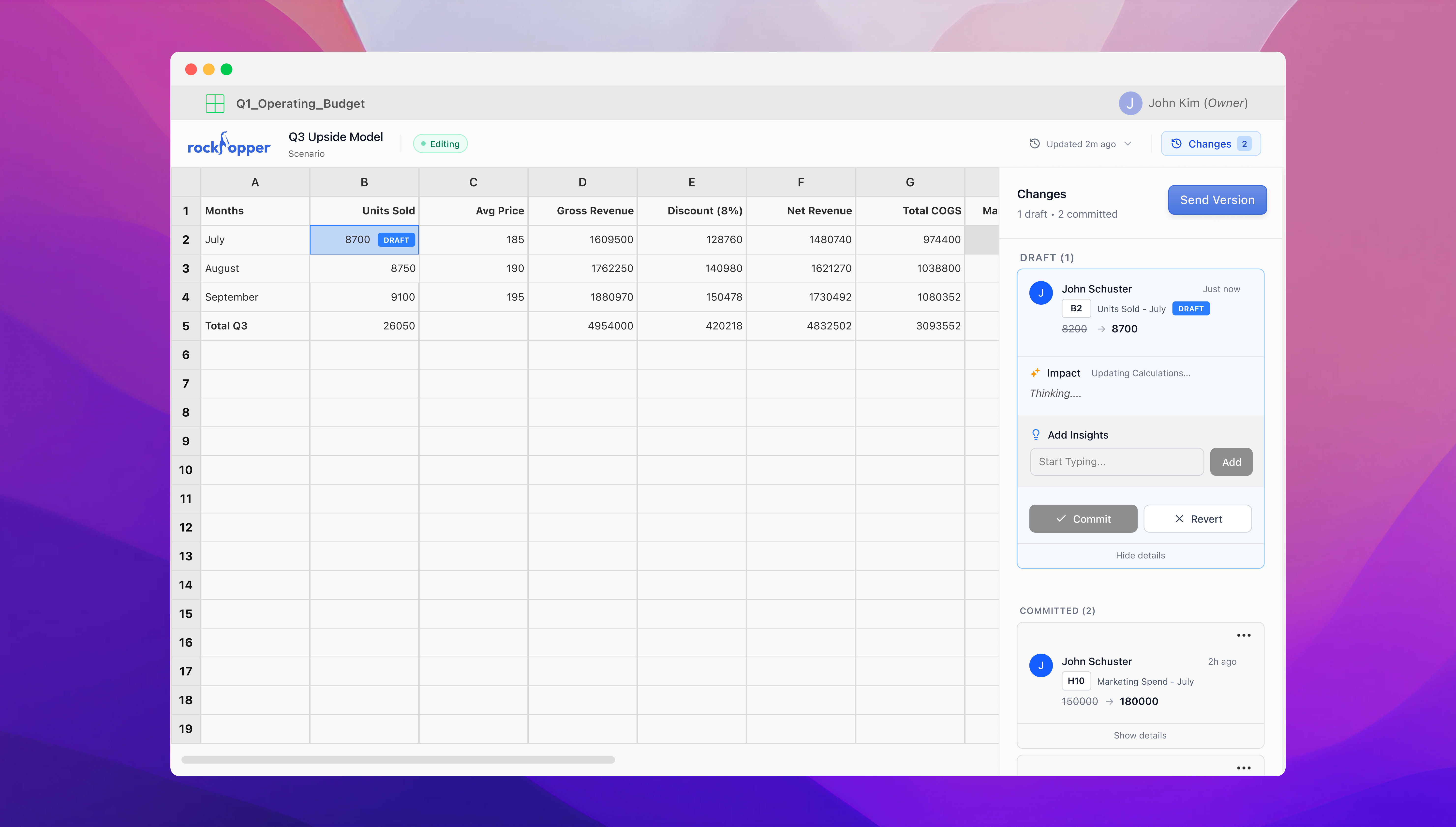
This creates a clear checkpoint for users to review their work, helping them keep track of changes and ensure decisions aren’t lost. A right-hand panel surfaces each change and its impact, keeping the what and why tied directly to the work.
Submitting Changes
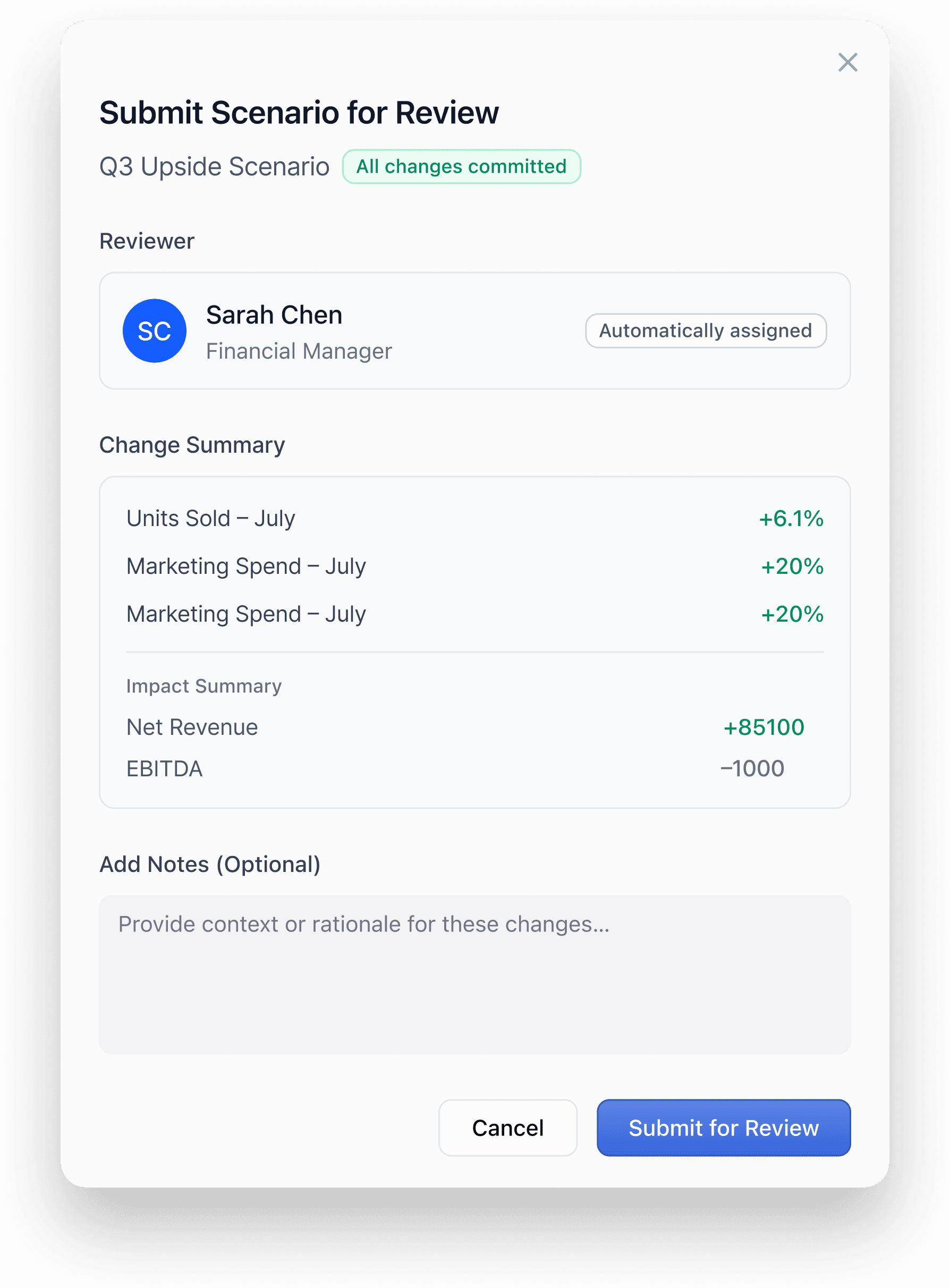
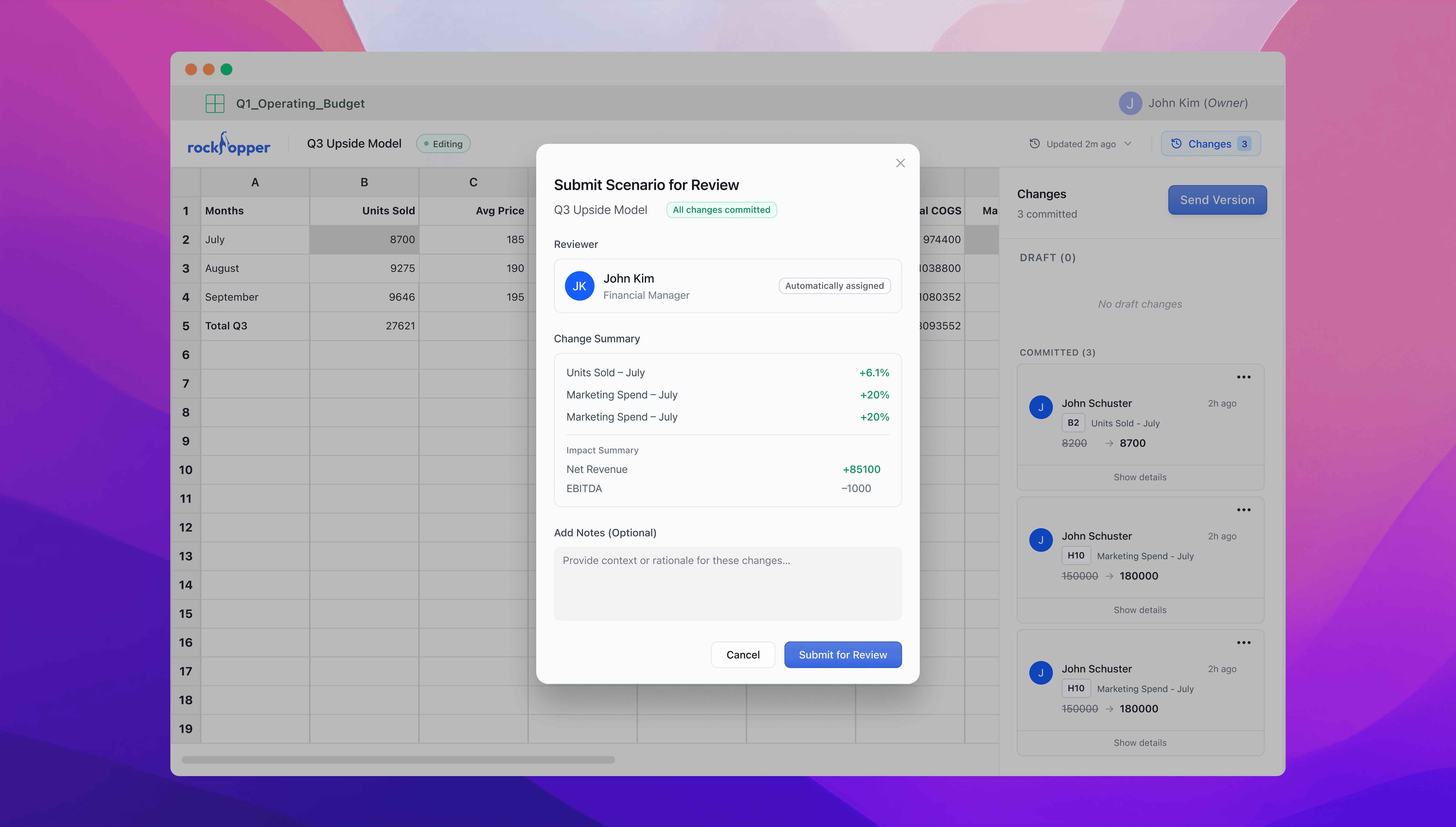
Once changes are committed, users can submit the version for review. A confirmation screen summarizes updates and their impact, reinforcing confidence by ensuring only complete and intentional work is shared.
The Problem
Collaboration was happening everywhere but the file
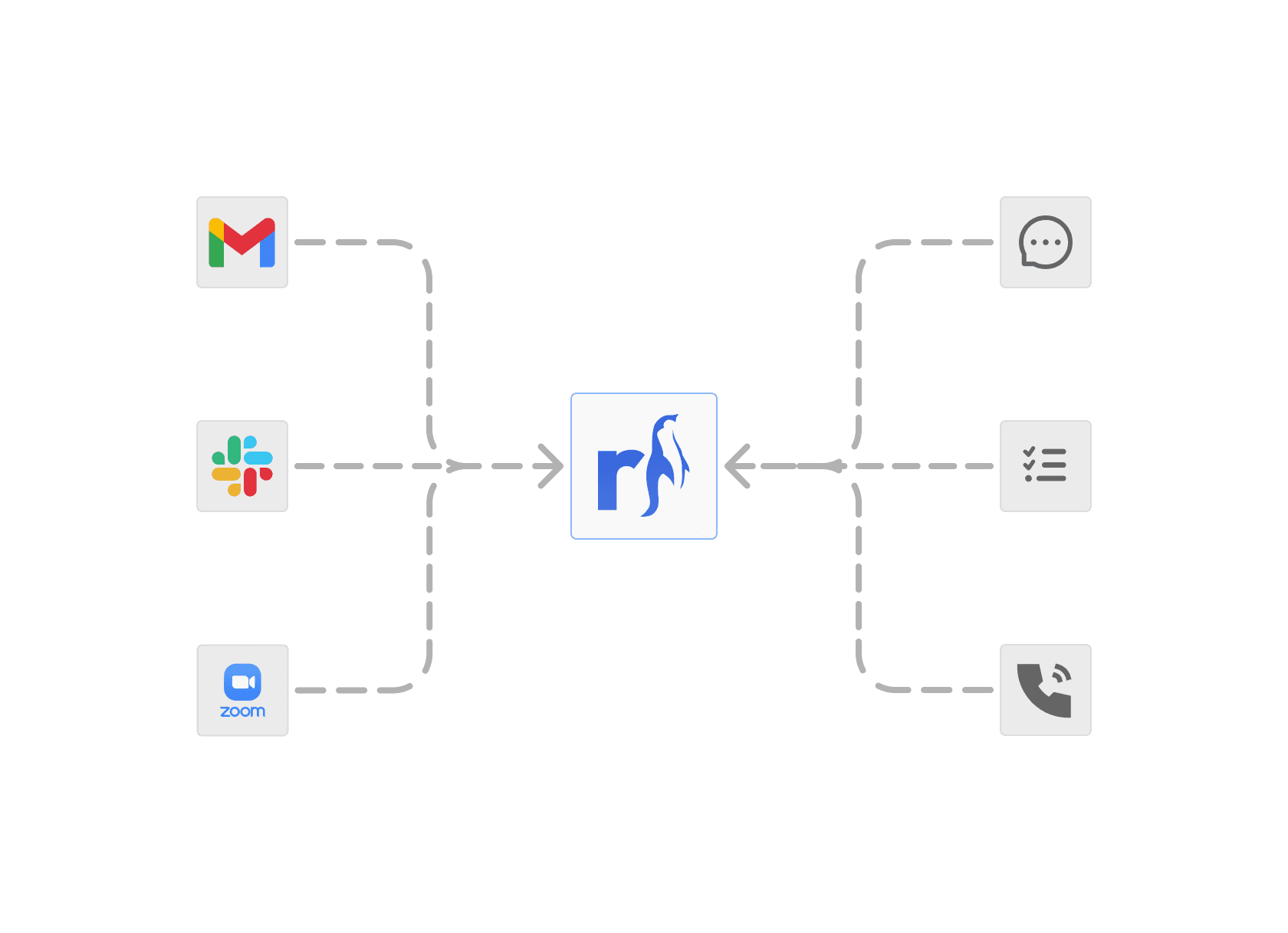
The workflow when collaborating on spreadsheets was divided into two different processes: execution in spreadsheets and reaching alignment within teams. This forced financial professionals to constantly switch contexts between doing and aligning, increasing cognitive load and making it harder to track decisions.
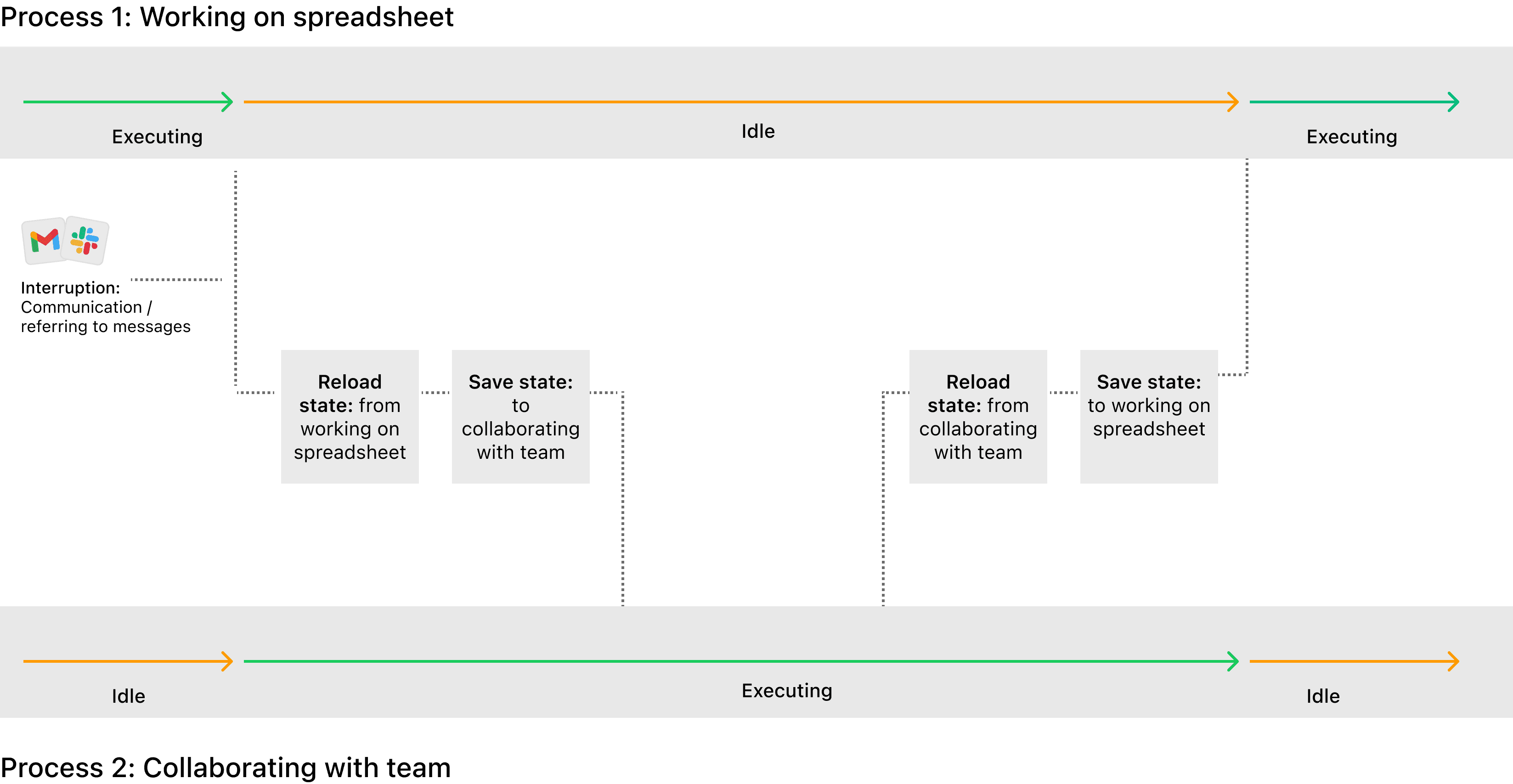
Context switching from working on spreadsheets to collaborating with the team
Key Insight
I wanted to conduct user interviews and observed them in action and found these key insights:
Alignment happened outside the file
Constant context switching and lost decisions.
Ambiguity created invisible work
People defaulted to checking or redoing work to avoid asking for clarification.
Trust was a huge blocker
There was a lot of distrust with the state of the file.
Reviewing Changes
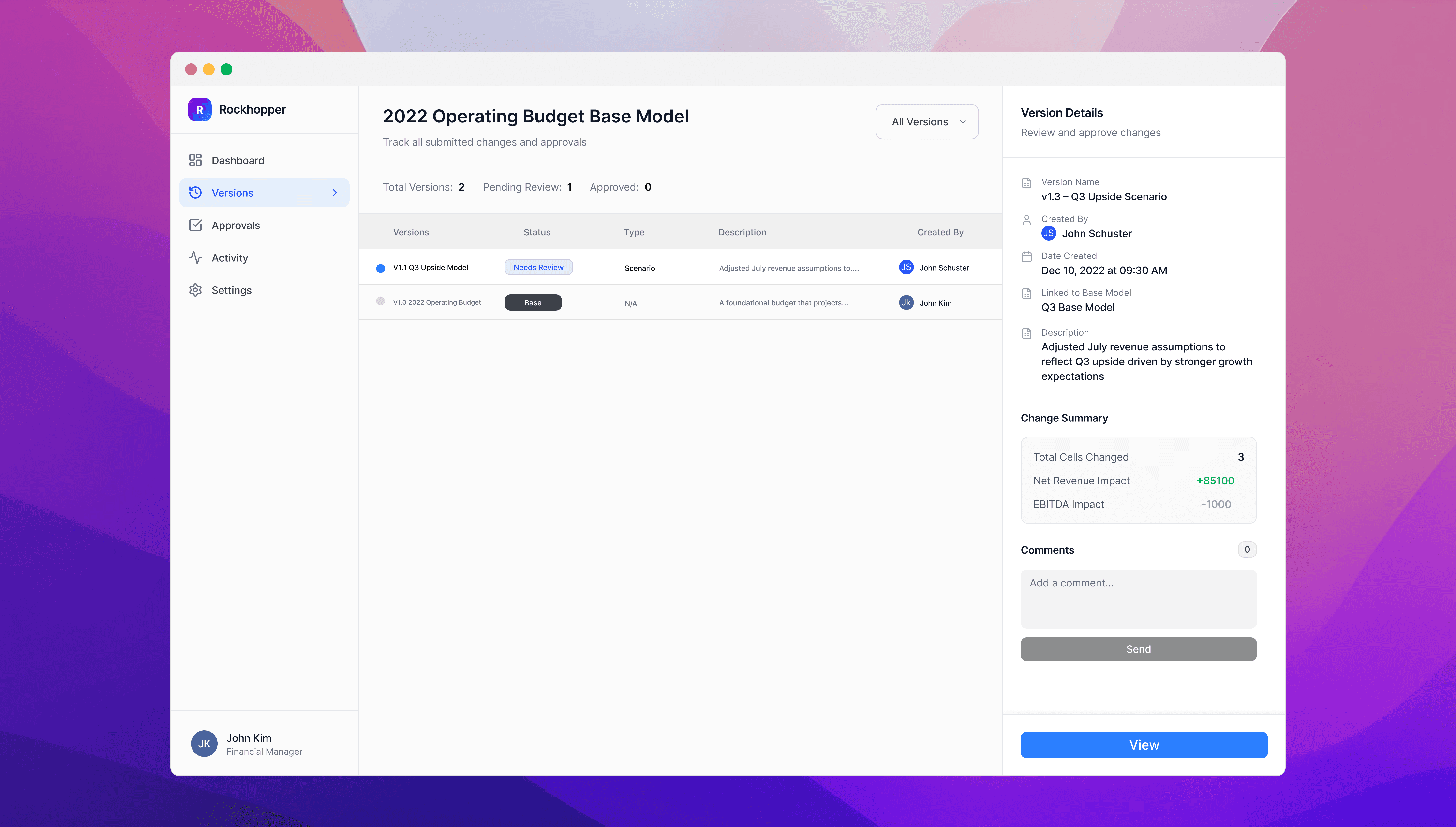
The dashboard provides a clear view of all versions, making it easy to track how the model evolves. The purpose is to help teams distinguish between in-progress, exploratory, and finalized work. Selecting a version reveals a summary of what changed, why, and its impact for quick context.
When the user opens the file, the reviewer can approve each change directly within it, ensuring no changes are missed. This allows users to clearly validate what’s been updated before anything is finalized, keeping decisions transparent and reducing the risk of errors across the team.
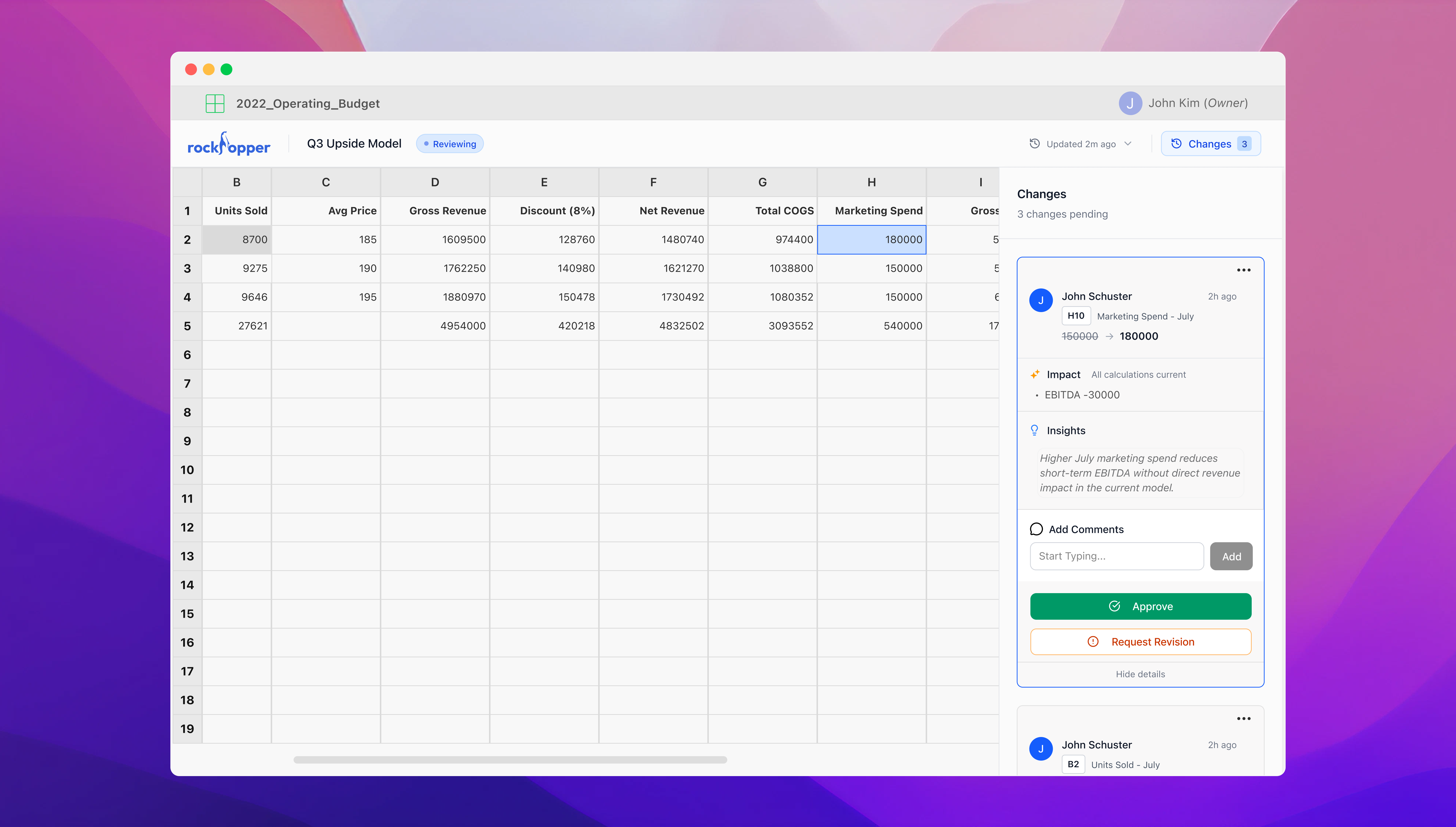
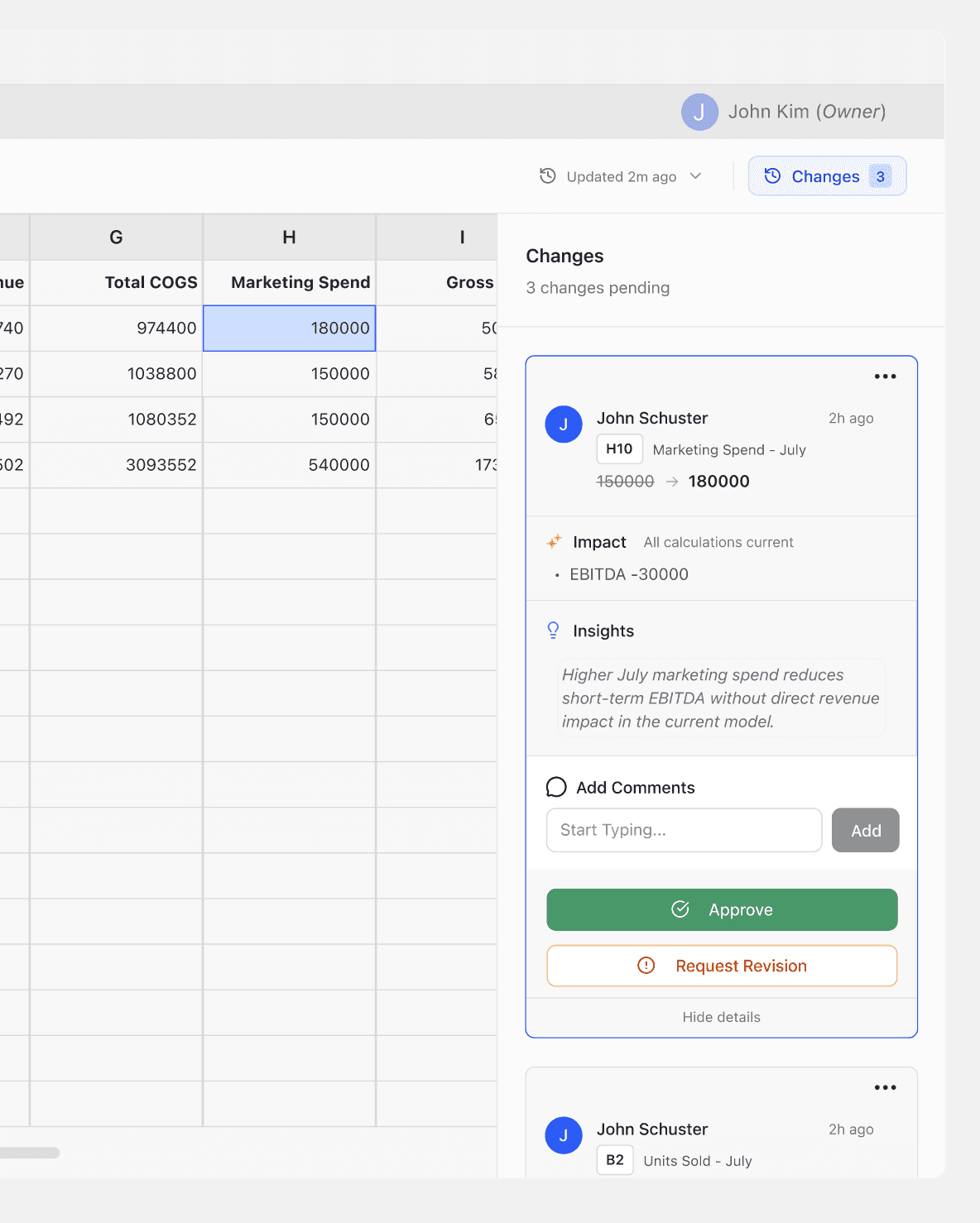
The right-hand panel highlights all changes made along with the supporting insights, allowing users to quickly review context and either approve the updates or request revisions.
Iterations
How structure created bottlenecks
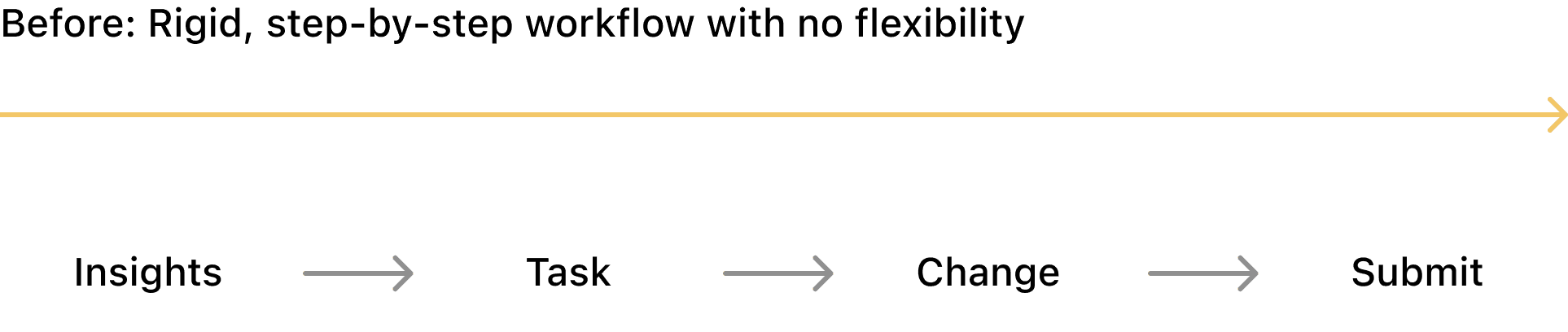
Our initial direction was a guided walkthrough. A step-by-step experience that would move users through each change together. However, in testing, it felt suffocating. Financial professionals are experts in their domain; being walked through their own workflow broke their rhythm.
We unintentionally created many bottlenecks in their workflow and caused more frustration:
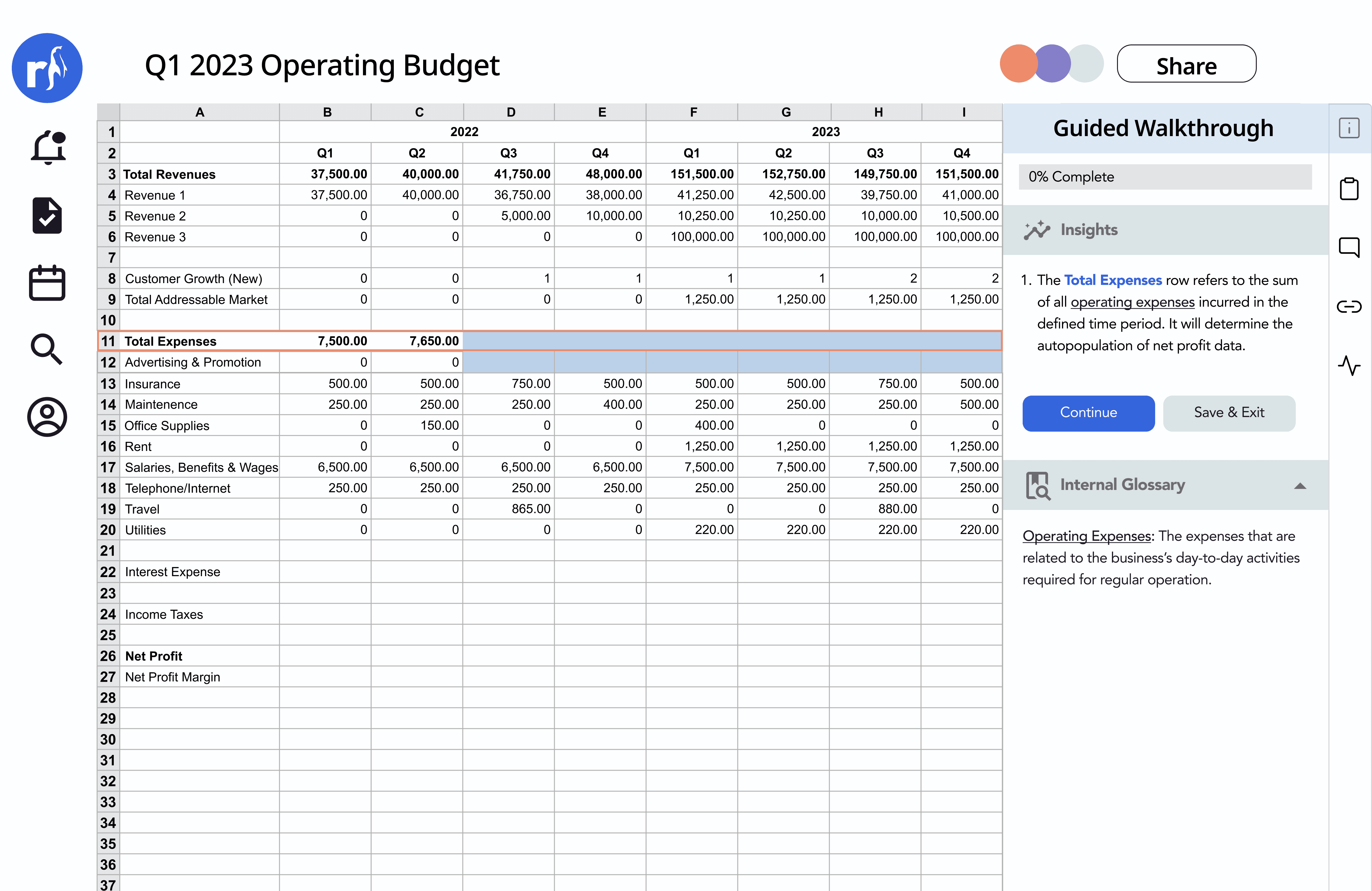
Users were forced to review insights for each before making changes.
Added friction: interrupted their thinking, and made simple edits feel tedious.
Overloaded short-term memory: Made it hard for the users to keep track of what they were doing
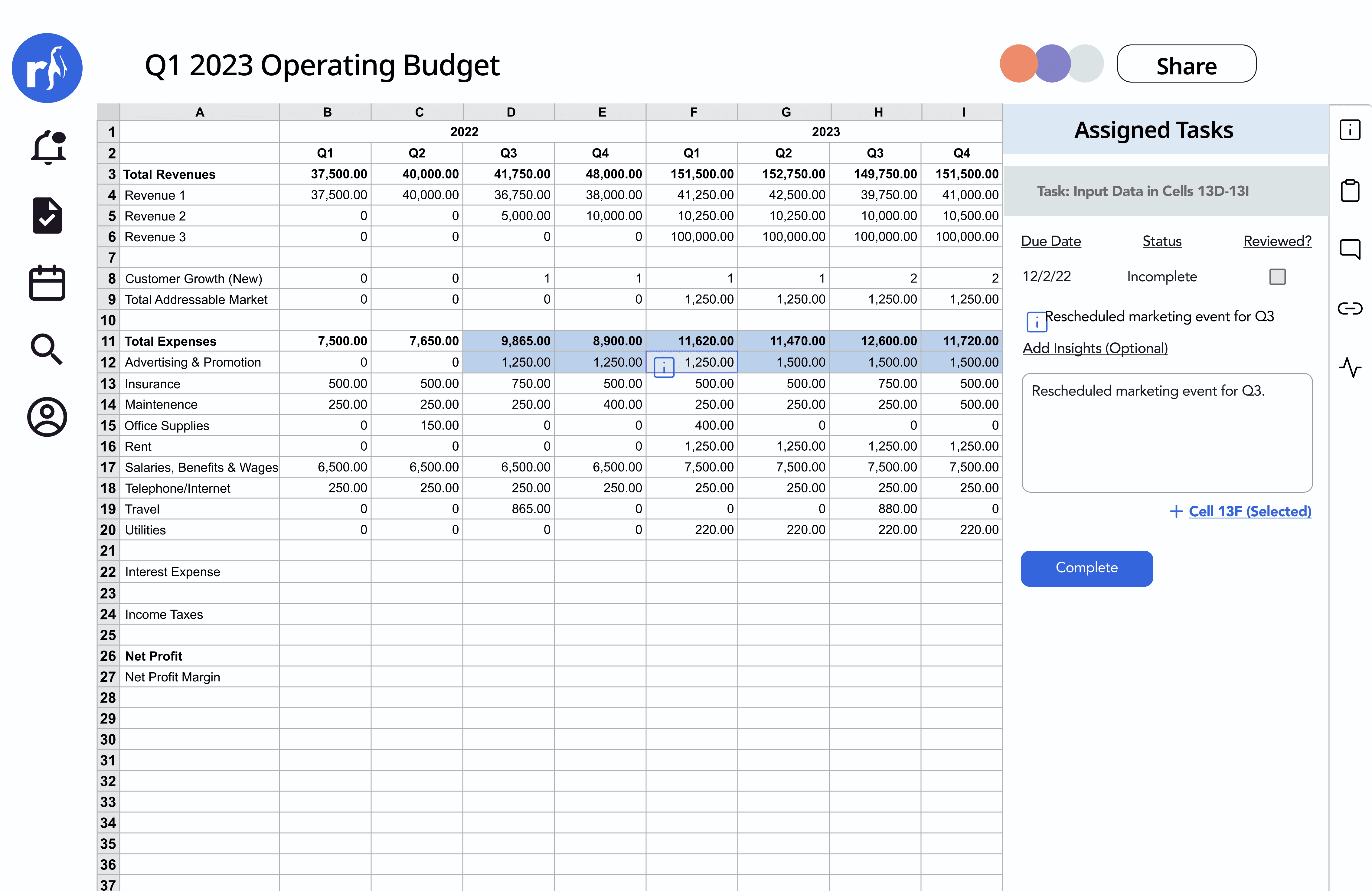
Managers were forced to assign tasks and guide the financial professionals through changes:
Creates a bottleneck, slowing down workflows since all changes depend on manager's direction
Reduces autonomy, forcing financial professionals to rely on guidance instead of making confident decisions independently
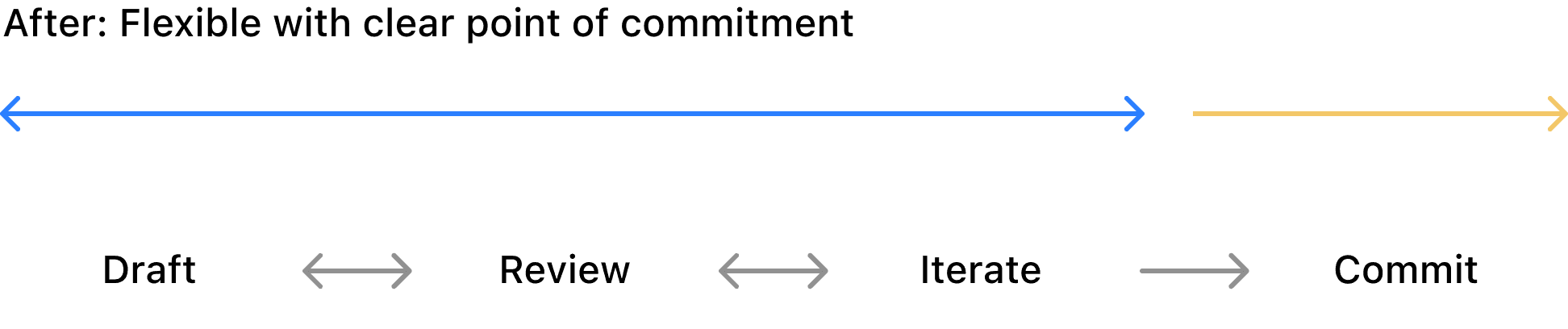
Our Pivot: Flexible control, not rigid structure
We shifted from a rigid, step-by-step workflow to a more flexible system that still maintains structure. Users can move naturally between drafting, reviewing, and iterating, and then finalizing their changes.
This balance gives users freedom to work efficiently while still ensuring alignment, traceability, and accountability across the team.
Impact
The numbers we are seeing
Since the product was still in the MVP stage, no metrics were available yet. However, I conducted 10 usability tests to compare the base workflow (without Rockhopper) to the first design and our iteration.
Although our sample size is small, here is the summary of our results:
Significant improvement on time on task
33 min
Base
24 min
V1
21 min
V2
33%
Reduced the time on workflow
Minimize context switching and cognitive load
Improved time to complete changes and review by including collaboration in the workflow.
Improvement in user satisfaction from V1 to the final design (SUS scale)
63
Base
55
V1
82
V2
55 to 82
Improved the user satisfaction after creating more flexibility in the workflow
Users were more frustrated during the first version of design, but made significant improvements in final design
Rockhopper
Rockhopper is a spreadsheet collaboration platform for finance teams, bringing version control, change tracking, and alignment to complex workflows.
My team partnered with Rockhopper to plan, design, and build the MVP to streamline how finance teams work on spreadsheets.
The Problem
Collaboration was happening everywhere but the file
The workflow when collaborating on spreadsheets was divided into two different processes: execution in spreadsheets and reaching alignment within teams. This forced financial professionals to constantly switch contexts between doing and aligning, increasing cognitive load and making it harder to track decisions.
Context switching from working on spreadsheets to collaborating with the team
Key Insight
I wanted to conduct user interviews and observed them in action and found these key insights:
Alignment happened outside the file
Constant context switching and lost decisions.
Ambiguity created invisible work
People defaulted to checking or redoing work to avoid asking for clarification.
Trust was a huge blocker
There was a lot of distrust with the state of the file.
Solution
How might we embed collaboration directly into the workflow?
The goal was to reduce context switching and lost decisions from collaborating outside the file. By centralizing communication and decision-making, users can stay focused, understand changes faster, and work with more confidence.
Through multiple iterations, I structured the workflow with clear stages, each designed to support how teams draft, review, and finalize changes.
Clear versioning for confident collaboration
Without a clear structure for versioning, teams were left guessing what changed and why, often mixing in-progress work with finalized outputs. This made it difficult to track intent, slowed collaboration, and increased the risk of mistakes.
To address this, it was important to guide the users to define the purpose of each version upfront, so every change carries clear context and stays organized.
A safe path to finalizing changes
My goal was for users to make changes while keeping track of their decisions. By drafting, users can iterate freely without impacting the source of truth, separating exploration from final decisions. Committing then turns those changes into a clear, structured update.
This creates a clear checkpoint for users to review their work, helping them keep track of changes and ensure decisions aren’t lost. A right-hand panel surfaces each change and its impact, keeping the what and why tied directly to the work.
Submitting Changes
Once changes are committed, users can submit the version for review. A confirmation screen summarizes updates and their impact, reinforcing confidence by ensuring only complete and intentional work is shared.
Reviewing Changes
The dashboard provides a clear view of all versions, making it easy to track how the model evolves. The purpose is to help teams distinguish between in-progress, exploratory, and finalized work. Selecting a version reveals a summary of what changed, why, and its impact for quick context.
When the user opens the file, the reviewer can approve each change directly within it, ensuring no changes are missed. This allows users to clearly validate what’s been updated before anything is finalized, keeping decisions transparent and reducing the risk of errors across the team.
The right-hand panel highlights all changes made along with the supporting insights, allowing users to quickly review context and either approve the updates or request revisions.
Iterations
How structure created bottlenecks
Our initial direction was a guided walkthrough. A step-by-step experience that would move users through each change together. However, in testing, it felt suffocating. Financial professionals are experts in their domain; being walked through their own workflow broke their rhythm.
We unintentionally created many bottlenecks in their workflow and caused more frustration:
Users were forced to review insights for each before making changes.
Added friction: interrupted their thinking, and made simple edits feel tedious.
Overloaded short-term memory: Made it hard for the users to keep track of what they were doing
Managers were forced to assign tasks and guide the financial professionals through changes:
Creates a bottleneck, slowing down workflows since all changes depend on manager's direction
Reduces autonomy, forcing financial professionals to rely on guidance instead of making confident decisions independently
Our Pivot: Flexible control, not rigid structure
We shifted from a rigid, step-by-step workflow to a more flexible system that still maintains structure. Users can move naturally between drafting, reviewing, and iterating, and then finalizing their changes.
This balance gives users freedom to work efficiently while still ensuring alignment, traceability, and accountability across the team.
Impact
The numbers we are seeing
Since the product was still in the MVP stage, no metrics were available yet. However, I conducted 10 usability tests to compare the base workflow (without Rockhopper) to the first design and our iteration.
Although our sample size is small, here is the summary of our results:
Significant improvement on time on task
33 min
Base
24 min
V1
21 min
V2
33%
Reduced the time on workflow
Minimize context switching and cognitive load
Improved time to complete changes and review by including collaboration in the workflow.
Improvement in user satisfaction from V1 to the final design (SUS scale)
63
Base
55
V1
82
V2
55 to 82
Improved the user satisfaction after creating more flexibility in the workflow
Users were more frustrated during the first version of design, but made significant improvements in final design
Key Learnings
-Failing provides important insights. Failing early with our initial workflow revealed friction and user frustration, but gave us the clarity needed to make meaningful adjustments.
-Seeking feedback early and often surfaces blind spots and aligns teams faster, preventing costly rework later. By involving stakeholders throughout the process, we ensured decisions were grounded in shared understanding rather than assumptions, leading to stronger, more validated outcomes.
Next project: